ReadZip
A downloadable tool for Windows
ReadZip - Zip Archive Image Reader
A lightweight Windows application for reading images directly from Archives Perfect for manga, comics, and webtoons
If you are like me, and purchased hundreds of tanks and translated chapters from a very obviously sinking ship of a website that sells "cultured manga". This tool should be very helpful to you. If you enjoy it, and it isn't going to cause any stress on you - please consider donating to the project. I had a very specific issue, so I made a very specific tool, and I hope that it helps you out.
Key Features:
📖 Dual-Page Spread Viewing - Display two pages side by side for an authentic book-reading experience, with intelligent cover page handling
🔄 Flexible Reading Modes - Switch between left-to-right (LTR) and right-to-left (RTL) reading directions, plus single-page mode
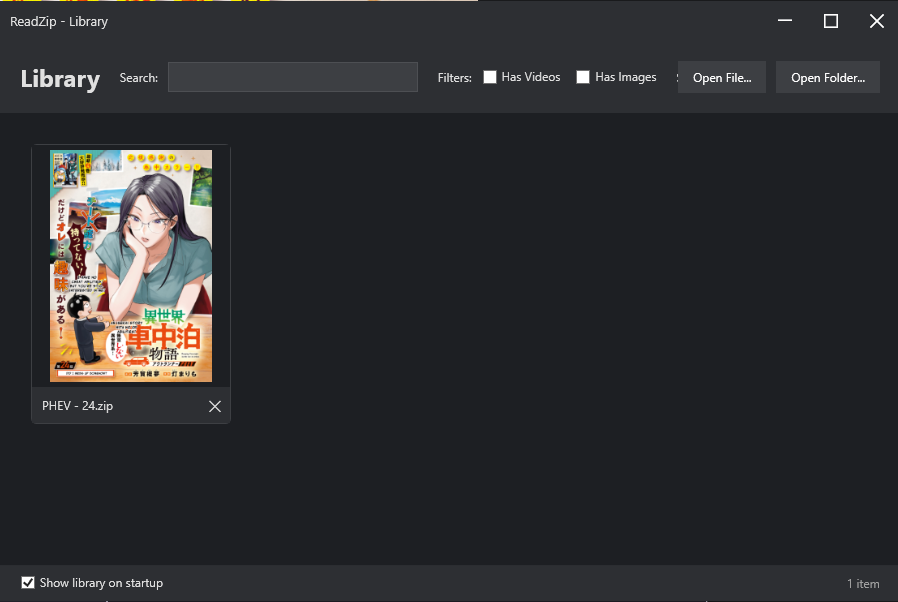
📚 Smart Library Management - Track your reading progress, resume where you left off, and organize your collection with search and filters. Remove more "cultured" content from your library quickly and easily.
🎬 Media Support - View images and play video files directly from archives without extraction (password protected archives are NOT supported at this time)
⚡ Direct Archive Reading - No extraction needed - images load instantly from ZIP/7z/CBZ files
⌨️ Keyboard-Friendly - Full keyboard navigation with arrow keys, spacebar, and hotkeys
🖥️ Fullscreen Mode - Immersive reading experience with a clean, modern dark interface
🎨 Format Support - JPG, PNG, BMP, GIF, WebP images plus MP4/WebM video files
Why ReadZip?
Zero extraction - Read directly from archives, keeping your storage organized
Natural sorting - Intelligent page ordering (page1, page2, page10)
Memory efficient - Only loads what you need
Book-accurate spreads - First page displays alone like a real book cover
Reading progress - Automatically remembers your position in each archive
Clean interface - No clutter, just your content
Whether you're reading manga right-to-left or western comics left-to-right, ReadZip adapts to your style. The library feature tracks all your archives in one place with thumbnails, progress indicators, and quick resume functionality.
Perfect for digital book collectors who want a simple, fast, and beautiful reading experience.
Known Issues
- Video player playback may be laggy on certain hardware
Single Page mode isn't working great at the moment. I will post an update soon with a fix.- Moving your zip archives or folders on your pc will remove those items from your library
- Some video formats may not work correctly
- Double page spreads formatted as one page in certain comics will display as one page, possibly throwing off the spreads after it in double page mode.
- In the Library View - when more than 50 items are in your library, it may take some time to load the first image of each archive (lazyloading) in order to make the experience more smooth when moving back to the library from the reading view.
- Clicking on the app when adding several hundred items to your library at once, may cause it to crash.
Left to Right and Right to Left mode preference will be stored on the app. But not per library item.- Password protected archives are not supported at this time, please extract those archives and add them as folder to your library instead.
- .psd files within archives may cause issues.
- duplicate zips with names that make them unique in your file system will still be imported as duplicates (IE -"Asanagi Complete Collection(1)" will still be imported along its non (1) archive)
- Files cannot be opened individually currently, they need to be within a folder in your file system. (with the exception of archives)
- It is not recommended to associate archives to open with the app in windows during the install process
Please create a thread in the Discussion Board with any feedback or suggested features.
This project will not be open source at this time.
Download
Click download now to get access to the following files:
Development log
- Devlog: ReadZip - 1/12/2026Jan 12, 2026